Solved

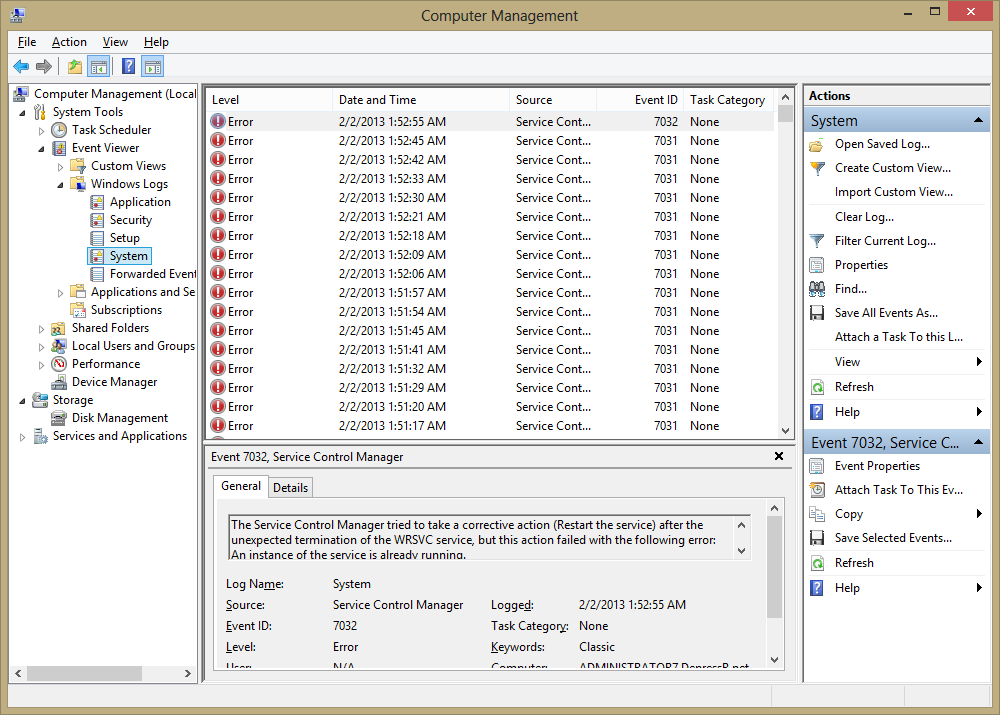
WRSVC service in crash loop after upgrade to 8.0.2.98

  • February 2, 2013
  • 5 replies
  • 228 views

explanoit
Silver VIP
Forum|alt.badge.img+6
Windows UAC prompted me to allow WSA to make changes to my machine. It then did an update.
Now the WRSVC service is in a crash loop and Windows is flashing the "Check virus protection" alert every 10 seconds or so. I have not rebooted yet.
 
Anyone else seeing this?
Best answer by explanoit

Hi everyone,
Sorry - I meant this as a gathering place for information if other people run into it rather than for troubleshooting the issue on my machine. Rebooting fixed it as expected

5 replies

shorTcircuiT
Gold VIP
  • Gold VIP
  • February 2, 2013
Explanoit, 
 
I am willing to bet that a request for more specific system information is going to be made to you, Windows version included.
 
On my computer, if I check for updates, it tells me that I have the current version and no update is availble.  I have version 8.0.2.96 so it would appear that you are included in the Beta Test of an upcoming new update.

cohbraz
Community Leader
  • Community Leader
  • February 2, 2013
Try to reboot the machine.
 
If the problem contiues, uninstall --> reboot --> reinstall WSA.
 
If the problem still contiues, start a chat support session with Webroot as I am sure they would like to get a little more information about this issue. 

RetiredTripleHelix
Gold VIP
Forum|alt.badge.img+56
@explanoit - I'm assuming your using the Enterprise Version as I just checked the download links for consumers an it's only v8.0.2.96 & v8.0.2.98 for Beta Testers if that's the case you may need to Open Endpoint Support Ticket or you can try doing a clean reinstall?
 
TH

JimM
  • Retired Webrooter
  • February 2, 2013
@ wrote:
Try to reboot the machine.
^This First^
 
Is this happening on all of your endpoints that updated or just a particular one?

explanoit
Silver VIP
Forum|alt.badge.img+6
  • Author
  • Silver VIP
  • Answer
  • February 2, 2013
Hi everyone,
Sorry - I meant this as a gathering place for information if other people run into it rather than for troubleshooting the issue on my machine. Rebooting fixed it as expected