Solved

WSA do not communicate with Windows Security Center

  • September 16, 2015
  • 3 replies
  • 43 views

Asklepios
Community Leader
Hello,
My PC is WIndows Vista Pro 32 bits.
WSA 9.0.3.37
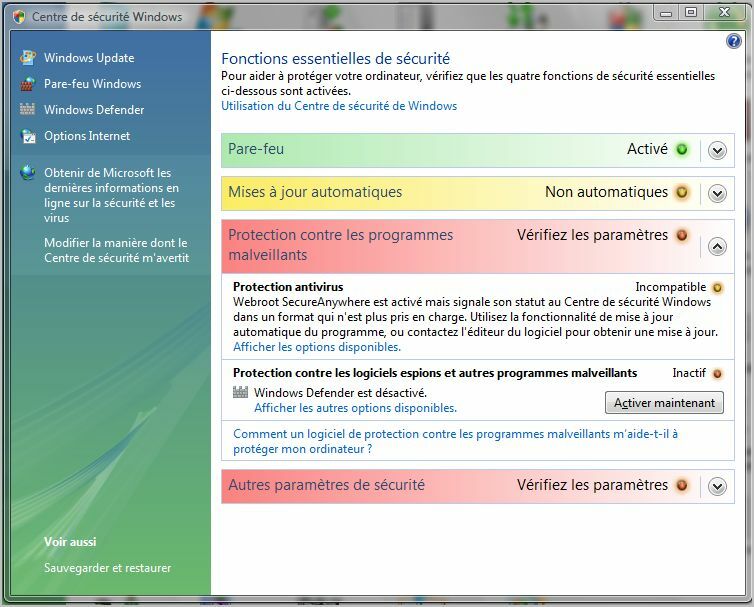
This morning I see the following problem:


The French text says that Windows security Center do not understand the format in which WSA communicates to it.
Did you have yet heard about this problem ?
Thanks.

Best answer by Ssherjj

Hello ?,
 
Welcome to the Webroot Community,
 
Let's make sure you have the latest Webroot. So I believe that if you uninstall/clean reinstall should fix this issue.
 
Can you please do a clean reinstall of WSA and Please follow the steps closely!
 
  • Make sure you have a copy of your 20 Character Alphanumeric Keycode! Example: SA69-AAAA-A783-DE78-XXXX
  • KEEP the computer online for Uninstall and Reinstall to make sure it works correctly

  • Download a Copy Here (Best Buy Subscription PC users click HERE)
  • Uninstall WSA and Reboot
  • Install with the new installer, enter your Keycode and don't import any settings if asked to as you can set it up as you like once it's done
  • Let it finish it's install scan
  • Reboot once again
 Also you can submit a Support Ticket free of charge and they can look into this if this clean reinstall doesnot work.
 
 
Kind Regards,
 
Thanks
 

3 replies

Ssherjj
Moderator
Forum|alt.badge.img+62
  • Moderator
  • Answer
  • September 16, 2015
Hello ?,
 
Welcome to the Webroot Community,
 
Let's make sure you have the latest Webroot. So I believe that if you uninstall/clean reinstall should fix this issue.
 
Can you please do a clean reinstall of WSA and Please follow the steps closely!
 
  • Make sure you have a copy of your 20 Character Alphanumeric Keycode! Example: SA69-AAAA-A783-DE78-XXXX
  • KEEP the computer online for Uninstall and Reinstall to make sure it works correctly
  • Download a Copy Here (Best Buy Subscription PC users click HERE)
  • Uninstall WSA and Reboot
  • Install with the new installer, enter your Keycode and don't import any settings if asked to as you can set it up as you like once it's done
  • Let it finish it's install scan
  • Reboot once again
 Also you can submit a Support Ticket free of charge and they can look into this if this clean reinstall doesnot work.
 
 
Kind Regards,
 
Thanks
 

Asklepios
Community Leader
  • Author
  • Community Leader
  • September 17, 2015
Hi ?
Thanks+++ for your help.
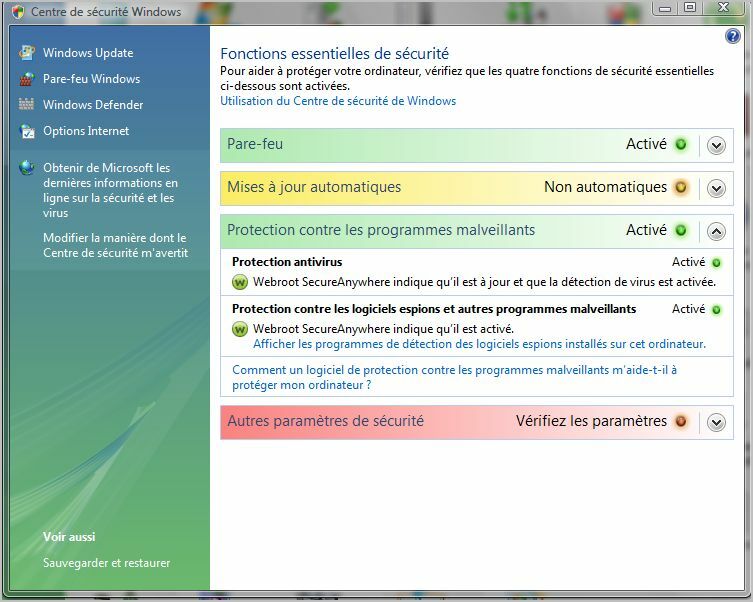
I followed all steps of your solution and the problem was solved.


Ssherjj
Moderator
Forum|alt.badge.img+62
  • Moderator
  • September 17, 2015
Hello ?,
 
 Anytime and you are most welcome! Thats great news and thank you for letting us know! :)
 
 
Have a great day day!
 
Best Regards