Youtube downloader blocked

  • September 21, 2017
  • 6 replies
  • 914 views

Forum|alt.badge.img+1
I frequently require the ability to download YouTube material for my work.
 
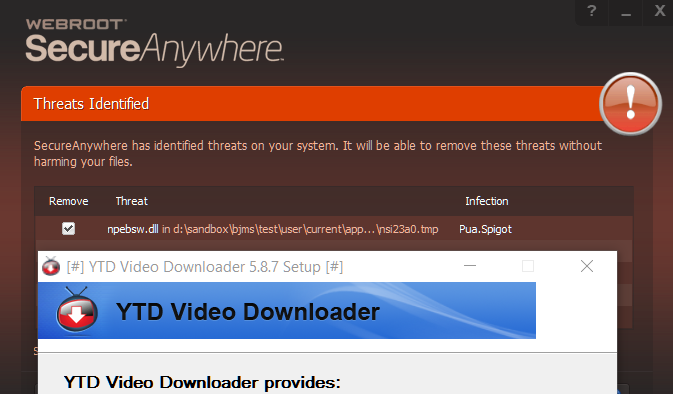
I have for the past 5 years I always used the free YTD Downloader. It is easy to use and packed with lots of features. A short while ago the application file disappeared. When trying to reinstall it, it appears that Webroot flags it as a threat.
 
YTD is perhaps the most widely used software for anyone who needs to download YouTube clips. It's also quite a few years old.
 
So it's well established. It's therefore highly doubtful that it suddenly has turned out to be malware.
I could really do with some help here. I have work to do and I need to be able to download some material.
 

6 replies

RetiredTripleHelix
Gold VIP
Forum|alt.badge.img+56
Hello,
 
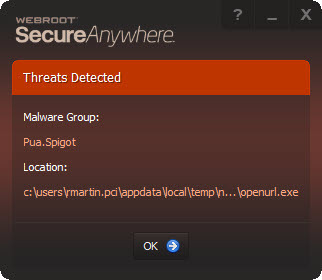
That detection shows that the Program has some unwanted Adware or in other words PUA/PUP's added with it.
 
https://community.webroot.com/t5/Techie-KB/How-to-Remove-Potentially-Unwanted-Applications/ta-p/40744
 
Thanks,
 
Daniel 😉

  • September 21, 2017
FWIW ~ WSA is kind to YTD (static) setup installer stub.
[g] c:usersjmsdesktopworkytd video downloaderytdsetup.exe [SHA256: 1C3632E8BF433FE2EF9C16EE7F2D2401AE671DD86F89F50106257503CB2DC48B] [MD5: 9D033C9F9488D8300162AACC5E805C40] [Flags: 00001000.2462]
 
VirusTotal aggregate engines are not so kind.
File name:YTDStubInstaller
Detection ratio:17 / 64
Analysis date:2017-09-19 17:57:45 UTC ( 2 days, 3 hours ago )
 
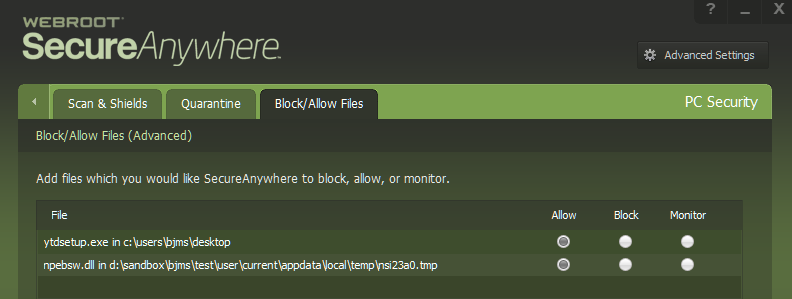
In any case, if you want to go against WSA, you'll have to get Webroot to change their criteria (whitelist a bunch of installer created files) or 'Allow' all the installer created files that WSA 'Block'.  You'll have to launch the stub installer enough times to move all 'Block' items to 'Allow'.   WSA detects a bunch of files as [Pua.Spigot] for me.
 
Again.  FWIW & YMMV & IMHO
If you're asking me.  I'd say find an alternative.   PM me if you want screenshots.
 
@> if my reply violates Community Guidelines.  Please remove my reply.  Thanks


RetiredTripleHelix
Gold VIP
Forum|alt.badge.img+56

  • September 21, 2017
Yep....assuming OP pulled YTD Basic Free Download from official vendor site....which, as far as I can tell is ytddownloader(dot)com.   


Thanks

Forum|alt.badge.img+1
  • Author
  • Fresh Face
  • September 29, 2017
I uninstalled YTD completely then set a Webroot exception on the YTD program. Went to the official vendor site and downloaded YTD again. Seems to be working.

  • September 29, 2017
@ wrote:
I uninstalled YTD completely then set a Webroot exception on the YTD program. Went to the official vendor site and downloaded YTD again. Seems to be working.
Hmm, can you help me with your work-around process.  I've added ytdsetup.exe as Allow. 
Webroot still flags created file(s) for me.